

Choose your country and language
Language

A radio on the table, a phone in your hand and a message appearing on another device: that is a good first Meshtastic project. Begin with a small, repeatable test. Once you know the equipment works, explore range, positioning and the local network.
The phone connects to a nearby radio through a supported local connection, such as Bluetooth or USB. The radio uses LoRa to communicate with other radios. The direct radio link needs neither mobile coverage nor an internet subscription. See the options for your device in the official introduction.
Think of the phone as the notebook and the radio as the messenger. A connected phone does not by itself prove that another radio can receive your messages.
Start with practical questions: will it sit on a desk, travel in your pocket or operate far from a power socket? Do you need positioning? Would a display help? Are you happy to solder, or do you want as little assembly as possible?
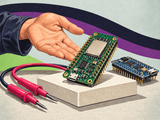
See the current Meshtastic range, where legacy hardware is clearly marked. Heltec WiFi LoRa V3.2, Wireless Tracker, LILYGO T-Beam and LoRa32 V2.1.6 have different practical features. Check package contents and assembly requirements on the specific product page. A separately included display is not necessarily installed. Use the same exact board revision when selecting firmware.
Attach the antenna before powering the radio. Meshtastic warns that powering a radio without an antenna can damage it. Its preparation guide also explains how to check the USB cable.
Send a short message between two nodes a few metres apart. Record the models, firmware versions and settings that worked. Move only one node for the next test and change one thing at a time. A notebook often helps more than changing every radio setting at once.
A successful long-range test does not guarantee the same range elsewhere. Test where you actually intend to use the equipment. Buildings, terrain, antenna placement and the available network can change the result.
Split troubleshooting in two. Can the client talk to its own radio? Check the cable, permissions, connection type and firmware choice. Can the radios talk to each other? Compare region, modem settings, channels and antennas. A paired phone is only the first half of the connection.
Keep the first setup simple. Use the project’s documented client configuration before experimenting with special roles or advanced radio settings. Consider channel keys and position sharing; read the channel guide before sharing a channel link.
First get one pair working reliably. Then choose what to investigate: a portable node, a positioning project or better coverage in a particular place. See our development boards, check package contents, or ask us about your project. eBits is a Danish webshop shipping from Aarhus, with local pickup available.
A default channel with a publicly known key should not be treated as a private conversation. Use a separate channel with an appropriate private key for confidential group messages, and protect the channel link. Direct messages and group channels may use different security mechanisms depending on firmware and client; read the current documentation.
See channel settings. Consider location sharing and MQTT separately before sharing data. A position broadcast may tell others where a person or object is located.
A generic ESP32 board with Wi-Fi and Bluetooth is not, by itself, a complete Meshtastic radio. Appropriate radio hardware, pin connections and the correct firmware target are required. Heltec WiFi Kit 32 and Heltec WiFi LoRa 32 are different products. A standard Pico board needs suitable additional LoRa hardware and a supported setup.
Older Heltec V2 hardware exists as a separate firmware target, but is not actively supported in the same way as current models. Check the revision and firmware options before buying. See the official hardware overview.
The LoRa radio’s low data rate suits short messages and telemetry; it does not make the network ordinary mobile internet. Sensors require supported modules, the correct voltage and the relevant firmware configuration. An I²C sensor is not automatically supported merely because of its interface.
Battery life depends on the entire board, display, GPS, transmission frequency, power management and battery. Measure consumption in the actual use case before promising days or weeks of operation. A GPS board also does not automatically include solar charging or an outdoor enclosure.
Use the network as a learning and communication project. It is not a coverage guarantee or a replacement for approved emergency communications. For an important event, have a tested backup plan.
Language
